
About the Evergreen Workbench
The Evergreen Workbench is a graphical interface for exploring application version data from the Evergreen PowerShell module. It is available in two editions - a Desktop Workbench for Windows, and a Web Workbench that runs in any modern browser.
INFO
This page reflects EvergreenUI features and functions starting with version 1.0.21.
Desktop vs Web
| Desktop Workbench | Web Workbench | |
|---|---|---|
| Platform | Windows (WPF) | Any modern browser |
| Install | PowerShell module (EvergreenUI) | No install - hosted at eucpilots.com/workbench |
| Browse apps | Yes | Yes |
| Search and filter | Yes | Yes |
| Dashboard | - | Yes |
| Download installers | Yes | - |
| Library management | Yes | - |
| Install / update apps | Yes (pre-release) | - |
| Import to Intune / Nerdio / Microsoft 365 Apps | Yes (pre-release) | - |
| Export to CSV | Yes | Yes |
| RSS feeds | - | Yes (per app) |
| PWA install | - | Yes |
| Theme | Light / Dark | Light / Dark |
Desktop Workbench
Beta
The Desktop Workbench (EvergreenUI) is currently in pre-release. Features and commands may change before the stable release.
The Desktop Workbench is a WPF-based graphical frontend shipped as the EvergreenUI PowerShell module. It wraps the same cmdlets you already use (Get-EvergreenApp, Save-EvergreenApp, Start-EvergreenLibraryUpdate, etc.) behind an interactive Windows desktop interface.

Key capabilities:
- Browse and filter all Evergreen-supported applications with dynamic filter panels
- Download application installers via a queued download manager
- Manage libraries - create, browse, and update Evergreen libraries on disk
- Install and update applications directly from package definitions (pre-release workflow)
- Import application packages into Microsoft Intune (Win32 apps), Nerdio Manager (Shell Apps), and Microsoft 365 Apps workflows (pre-release workflows)
- Settings for download paths, themes, log verbosity, and provider configuration
See Installing the Desktop Workbench and Using the Desktop Workbench for full details.
Web Workbench
The Web Workbench is a browser-based application at eucpilots.com/workbench. It provides a read-only view of all Evergreen-tracked applications - no PowerShell or Windows required.
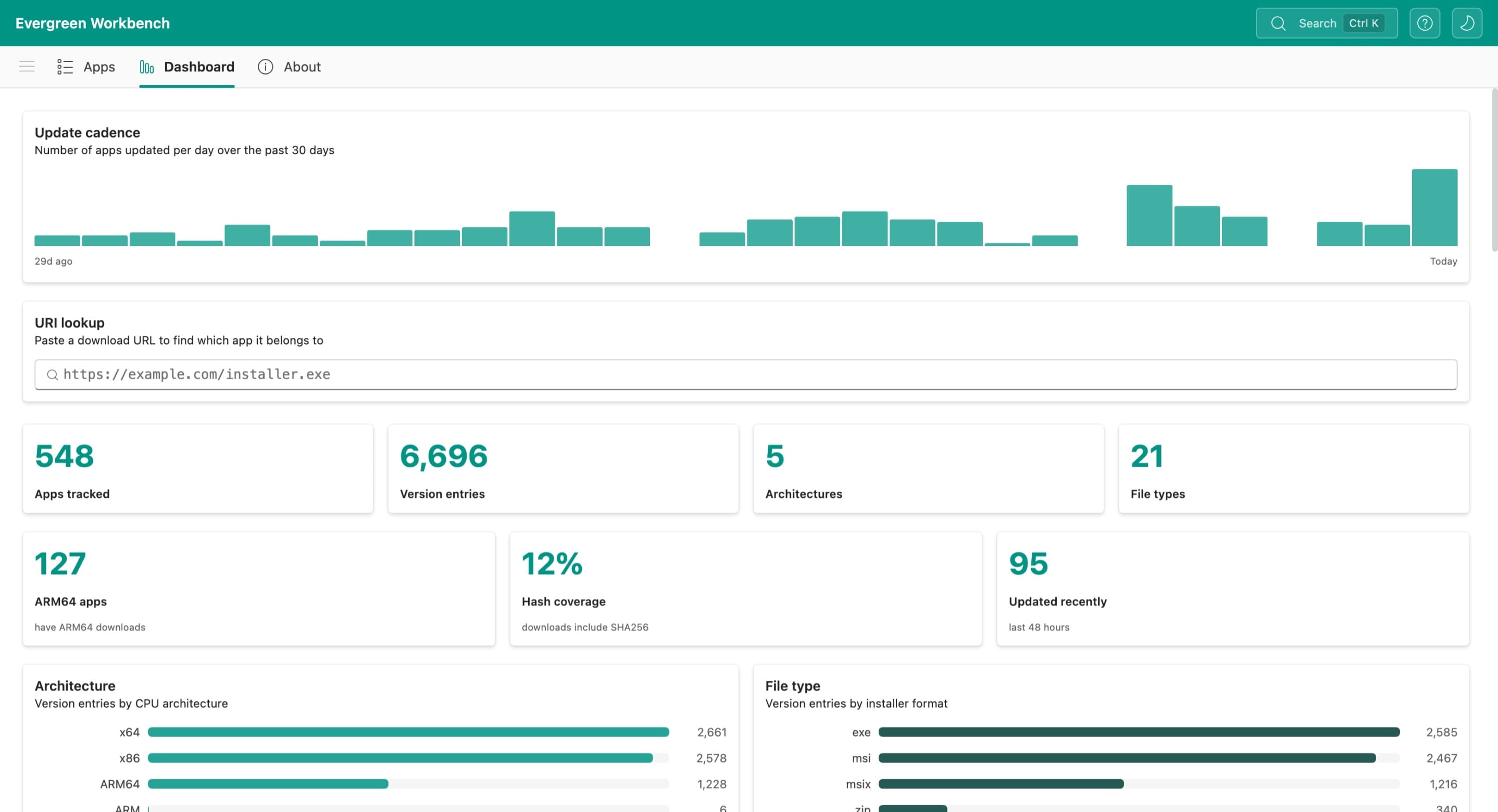
Key capabilities:
- Dashboard with summary statistics, architecture and file type charts, URI lookup, and recent activity
- Browse and filter all Evergreen-supported applications with sortable columns and per-column filters
- Search across all applications and download URIs with the global search overlay
- Export filtered results to CSV
- RSS feeds for individual applications
- Install as a PWA for a standalone app experience on any platform
See Using the Web Workbench for full details.