
Working with GitHub rate limits
Over 150 applications supported by Evergreen are hosted on GitHub repositories or pull data from a GitHub repository to determine the latest version. Evergreen uses the GitHub REST API when querying details for these applications.
Both Get-EvergreenApp and Update-Evergreen make requests to the GitHub REST API:
Get-EvergreenAppqueries GitHub releases and tags to return version and download details for applications hosted on GitHubUpdate-Evergreendownloads the latest application functions and manifests from the eucpilots/evergreen-apps repository
GitHub implements rate limits on the API for unauthenticated requests, allowing only 60 requests per hour per IP address. In environments where Evergreen is run frequently or across multiple sessions, this limit can be reached quickly. See Rate limits for the REST API for details.
Authenticating requests with a personal access token raises the limit to 5,000 requests per hour.
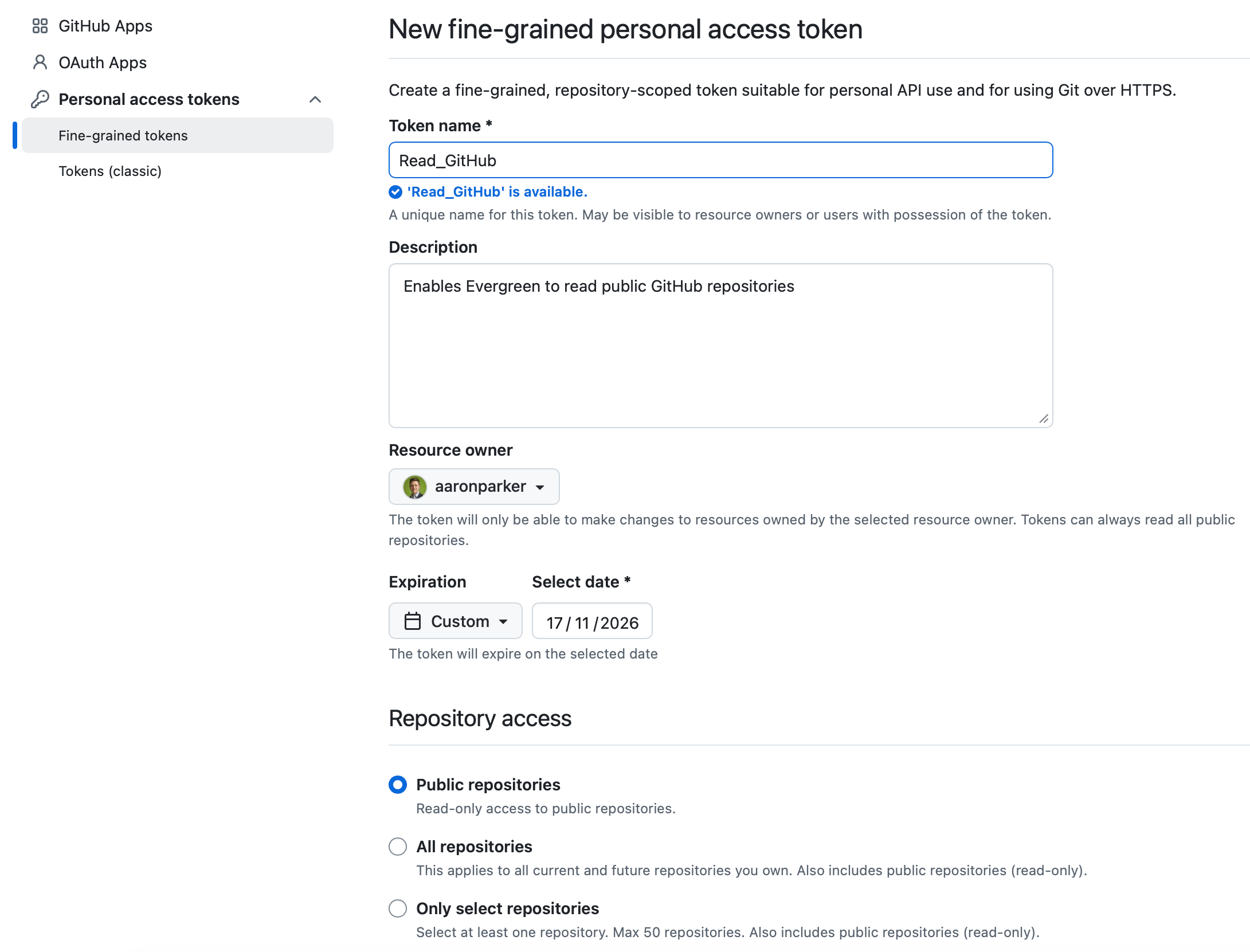
Creating a personal access token
Evergreen supports authenticated requests using personal access tokens. Fine-grained personal access tokens are recommended.
A token with read-only access to public repositories is sufficient. No additional scopes or permissions are required. Because the token only needs read access to public repositories, a long expiry period is reasonable; however, secure management of the token is still recommended.
Setting the GITHUB_TOKEN environment variable
Evergreen reads the GITHUB_TOKEN or GH_TOKEN environment variables. Setting either variable with the value of the personal access token enables Evergreen to authenticate requests to the GitHub API automatically. Both Get-EvergreenApp and Update-Evergreen will use the token without any additional configuration.
Windows
To set the variable for the current user persistently (survives across sessions and reboots):
[System.Environment]::SetEnvironmentVariable("GITHUB_TOKEN", "<your-token>", "User")To set it for all users on the machine (requires administrator):
[System.Environment]::SetEnvironmentVariable("GITHUB_TOKEN", "<your-token>", "Machine")The variable can also be set via System Properties > Advanced > Environment Variables in the Windows UI.
To set it only for the current PowerShell session:
$env:GITHUB_TOKEN = "<your-token>"macOS and Linux
Add the following line to your shell profile (~/.zshrc for Zsh, ~/.bashrc or ~/.bash_profile for Bash) to set the variable persistently:
export GITHUB_TOKEN="<your-token>"Reload the profile after saving:
source ~/.zshrc # or source ~/.bashrcTo set it only for the current shell session:
export GITHUB_TOKEN="<your-token>"GitHub Actions
When running Evergreen in a GitHub Actions workflow, the GITHUB_TOKEN secret is automatically available and does not require a separate personal access token. See Use GITHUB_TOKEN for authentication in workflows.
Add the following to the top of your workflow file to make the token available as an environment variable:
# Environment variables
env:
  GITHUB_TOKEN: ${{ secrets.GITHUB_TOKEN }}
Evergreen will pick up the variable automatically when the workflow runs.
Checking the rate limit status
When running Get-EvergreenApp for an application that uses GitHub as its source, passing -Verbose will output the current number of remaining API requests:
Get-EvergreenApp -Name "MicrosoftBicep" -VerboseThe verbose output will include a line similar to:
VERBOSE: Get-GitHubRateLimit: Remaining requests to the GitHub API: 58 of 60When the rate limit is exhausted, Evergreen returns a RateLimited version object and outputs a warning. Setting GITHUB_TOKEN or GH_TOKEN before running Evergreen will resolve this.